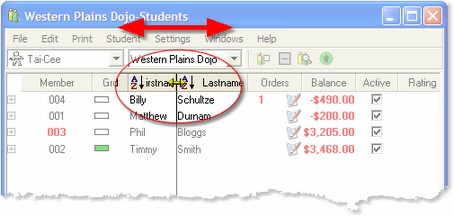
In Martial Class™, many of the columns in the windows you commonly use can be resized.
To resize a column, move the mouse over the seperator line between each column title. The cursor will change to an east-west resize cursor  , indicating you can drag the column seperator.
On most of the more frequently used windows, the column widths are persistent, meaning that if you change a column width, then that becomes the new default width for that column on that page.
 TIP: Double-clicking a column header will auto resize the column.