The Events Window (F4)
Top  Previous  Next


The Events Window is used to display details about a given event, including who is registered, the requirements for the event and what event specific items each student has ordered.

eventwindow

This window also displays a summary of the number of students registered for the event.

The event editing buttons are:
event-new
Create a new Event (See The Event Editor Window and Creating Events)
event-edit
Edit the selected Event (See The Event Editor Window)
event-delete

Delete the selected event.
Note: Events can only be deleted once all registered students have been removed.
 

Note: Events may also be created and edited through the Planner Window.


From this window, you can:

· double-click Students (or select them and use the right-click menu, or the Students Menu) to bring up their Student Details Window.  
·drop items from the Items Window onto a student to sell items to that student.  
·drag students from this window to a Student Browser to transfer a student.  
·drag students from this window to an Attendance Window to record attendance.  
·drag students from this window to another Event Window to register students in events (gradings, tournaments, workshops, etc).  
·promote students by selecting a new grade in the Promoted column.  
·remove a promotion by selecting a student and choosing Cancel Promotion from the right-click menu.  


You can modify the additional check-boxes for an event in the Event Editor Window, which is accessible by double clicking the event in the list on the left.

You are able to Bulk-Set, Clear and Hide checkboxes in this window by selecting a group of students and right-clicking on one of the selected row checkboxes in the column you wish to set:

event checkbox popup menu


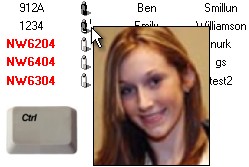
TIP: On the Student Browser, Attendance and Events windows, you can popup a student's photo by holding down the ctrl key and hovering the mouse over the Grade column.
photopopup


TIP: You can also change sorting orders on this window, see Sorting Students for more information.