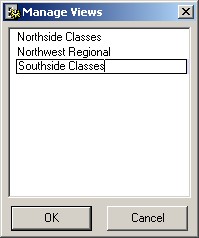
The Manage Views Dialog
The
Manage Views Dialog
is displayed when you select
Rename/Delete Views...
from the
Views
menu on the
Planner Window
.
This window allows you to:
·
Delete a view
- Select the view and press the
or
key.
·
Rename a view
-
double-click
on the view and enter a new name.


 or
or  key.
key.